

ish onCourse

onCourse

The platform behind your team’s course work.

Help people find and join your courses while your team keeps the records, payments and daily work behind them connected.

Two colleagues reviewing paperwork and working at a desktop computer

The public experience and the work behind it

  1. Learners

    • Find courses
    • Enrol
    • Payment where applicable
  2. Your team’s onCourse work

    • Course records
    • Enrolments
    • Payment where applicable
    • Scheduling
    • Communications
    • Reporting
  3. Connections to agree

    • Finance
    • Learning
    • Identity
    • Other systems
Illustrative platform context. We agree system ownership, connections and responsibilities with your organisation during setup.

Everyday course work

Move through the course journey with less disconnected work.

Plan the course, open enrolments, organise delivery and understand activity, with the underlying records kept connected.

Explore the short-course journey
  1. Stage 01

    Plan courses

    Build the timetable around tutors, rooms and session times, then review clashes before delivery begins.
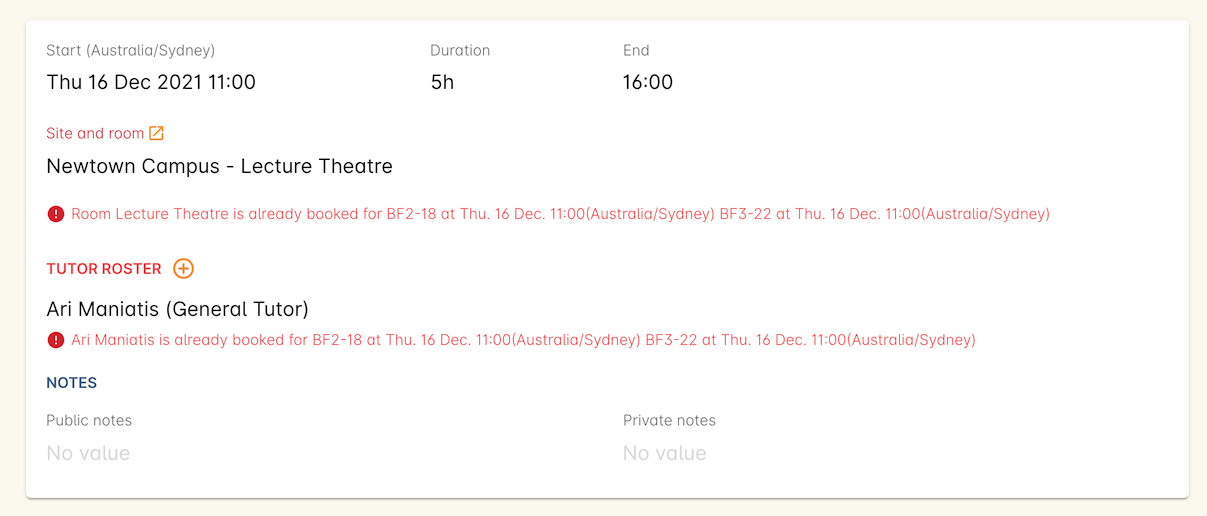
    Official handbook session example showing room and tutor clash warnings
    Older official handbook example. Interface may vary.
    Source and image details

    The official handbook page reported an update more than two years before review on 9 October 2026 (Australia/Melbourne). This is not a newly captured customer system or a promise of the exact current interface. Names and amounts shown belong to the documentation example.

    Read the handbook source (new tab)
  2. Stage 02

    Open enrolments

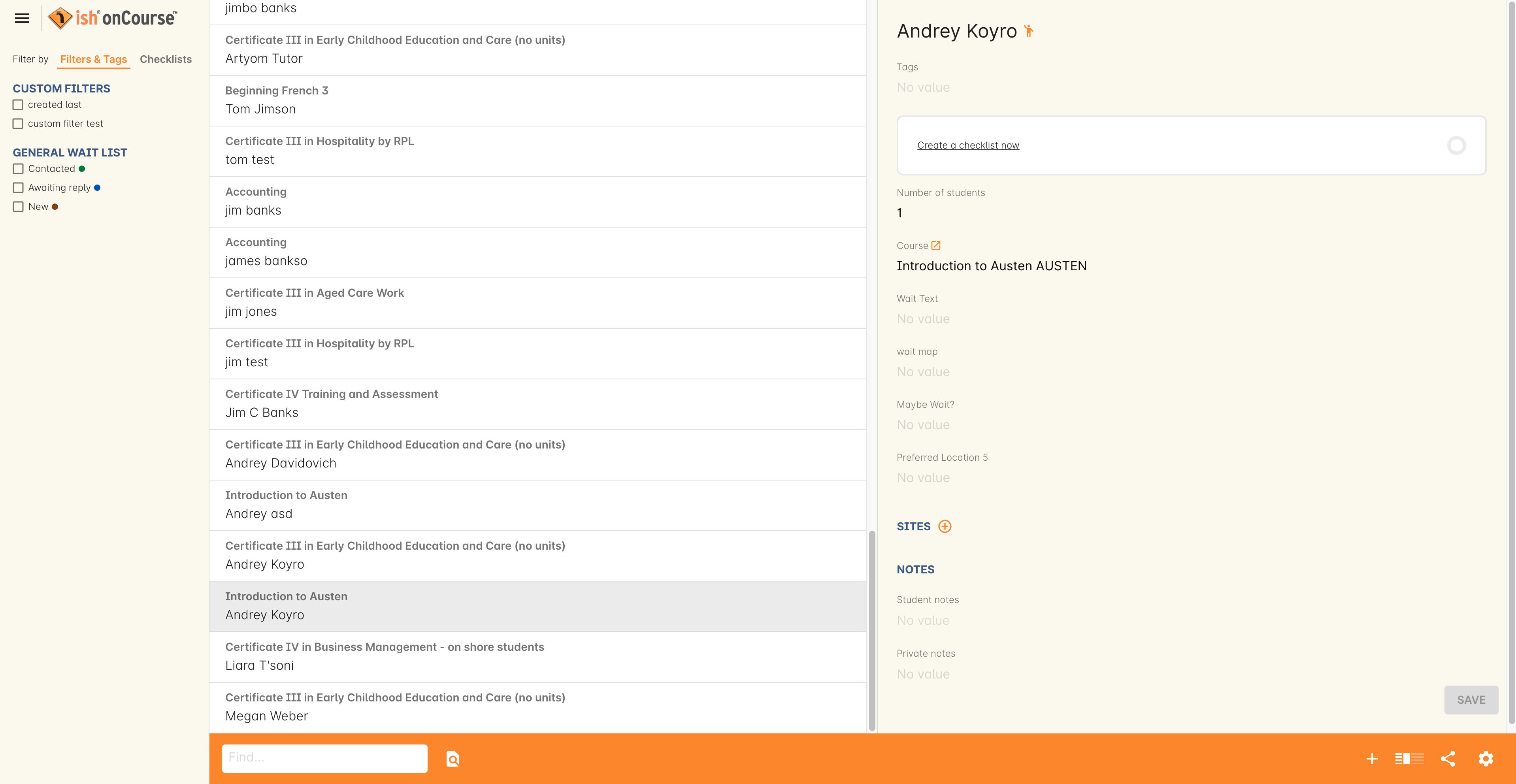
    Keep demand visible, move interested learners towards a suitable class and record agreed payment arrangements.

    Official handbook waiting-list example showing course, learner, location and preference fields
    Older official handbook example. Interface may vary.
    Source and image details

    The official handbook page reported an update more than two years before review on 9 October 2026 (Australia/Melbourne). This is not a newly captured customer system or a promise of the exact current interface. Names and amounts shown belong to the documentation example.

    Read the handbook source (new tab)
  3. Stage 03

    Organise delivery

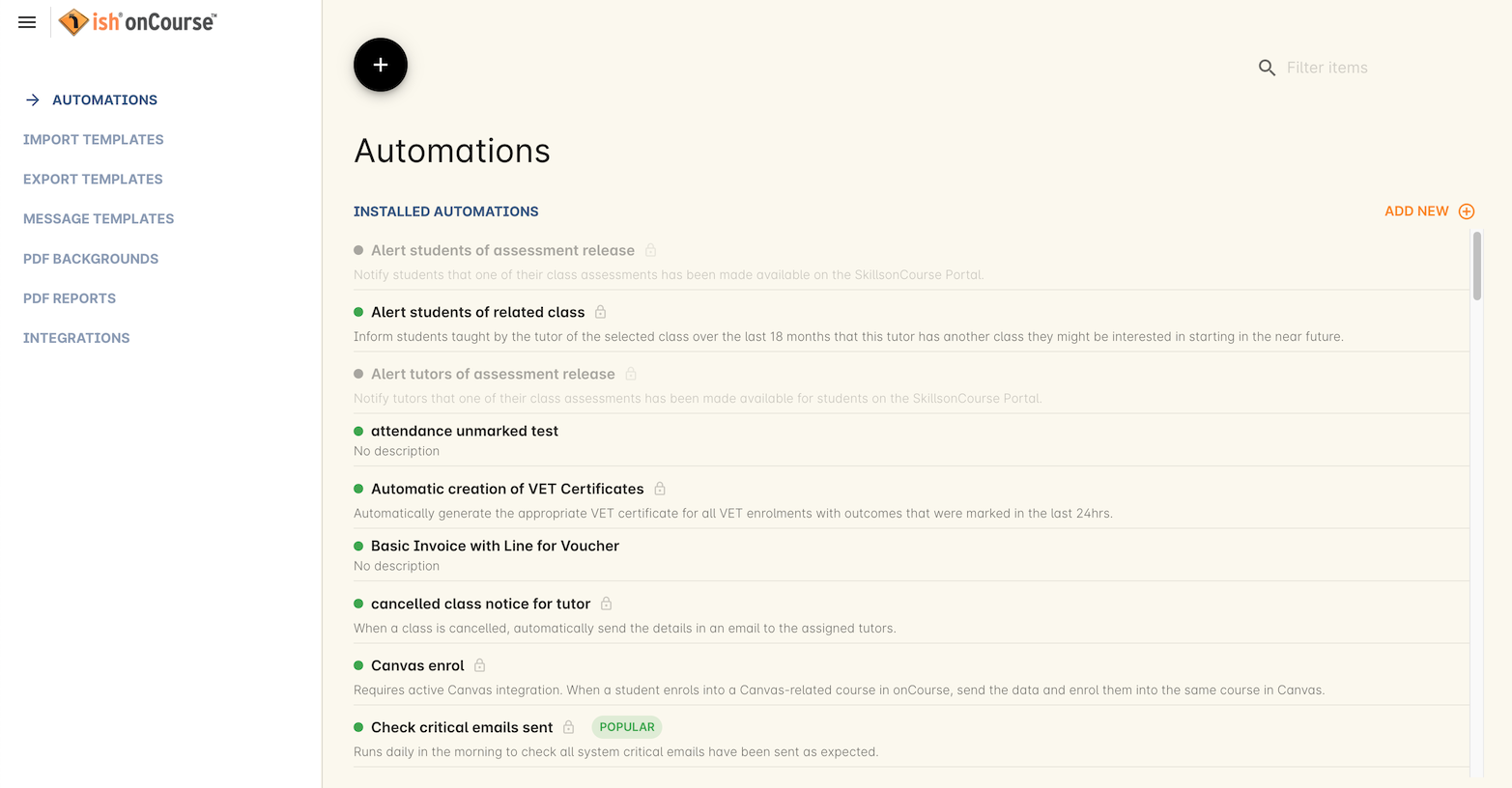
    Use configured automations and communications to support repeatable administration around each class.

    Official handbook automations view listing installed automations and their status
    Older official handbook example. Interface may vary.
    Source and image details

    The official handbook page reported an update more than two years before review on 9 October 2026 (Australia/Melbourne). This is not a newly captured customer system or a promise of the exact current interface. Names and amounts shown belong to the documentation example.

    Read the handbook source (new tab)
  4. Stage 04

    Understand activity

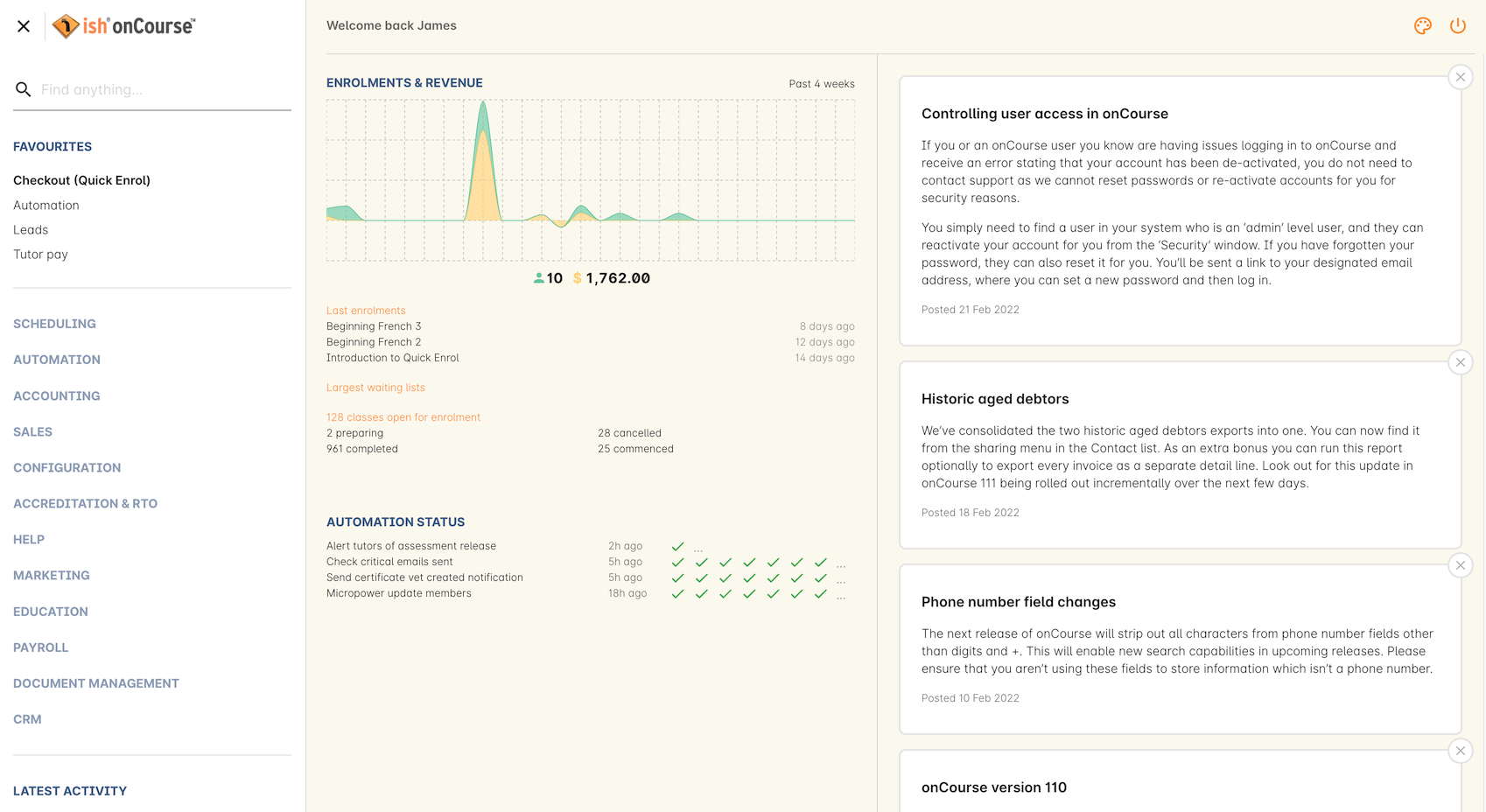
    Bring recent enrolment, revenue and course activity into view so your team can investigate what needs attention.

    Official handbook dashboard example with recent enrolment and revenue activity, navigation and automation status
    Older official handbook example. Interface may vary.
    Source and image details

    The official handbook page reported an update more than two years before review on 29 September 2026. This is not a newly captured customer system or a promise of the exact current interface. Names and amounts shown belong to the documentation example.

    Read the handbook source (new tab)

Practical needs

How teams use onCourse to keep course work connected.

A clearer path from discovery to enrolment

Help people understand their options, then keep bookings connected to the people and organisations behind them.

Help people find their next course

Present your offering through a branded course experience, with the information learners need to understand their options and take the next step.

Keep enrolments connected to the people behind them

Manage participant and organisation records alongside bookings and communications, including individual and agreed group or corporate workflows.

Keep payment and delivery work organised

Bring payment work into course administration and coordinate the records, people and places involved in delivery.

Manage the transaction and what follows

Bring payments, invoices and refund workflows into the course administration process. Define the connection to your finance systems around your reporting and reconciliation needs.

Support everyday delivery

Coordinate courses, classes, sessions, tutors, venues and learner records. Use configured communications and automation to support repeatable work.

See how your programs are performing

Keep useful activity in view, then agree how onCourse should connect with the other systems your organisation uses.

Understand your activity

Use reporting to understand enrolments and operations, identify questions and support decisions about your programs.

Fit onCourse into your systems

Supported APIs provide a foundation for agreed integrations. We work with your team to define which system owns each record, what information needs to move and how exceptions will be handled.

Feature directory

Explore the details.

onCourse can support specialist short-course operations alongside existing enterprise systems, or a broader education administration role. Together, we decide where onCourse fits and what needs to connect before setup begins.

Discuss where onCourse could fit.

Discuss your requirements