







For short-course providers

Your short courses. Easier to run.

You’re planning courses, following demand and building learner and employer relationships. onCourse connects bookings, payments and delivery records so your team can keep daily work manageable as participation changes, with ISH alongside you.

Talk with our team
Two adults reviewing course information together at a desktop computer

Supporting education providers across Australia for more than 25 years

  • University of Sydney, Sydney Short Courses
  • University of Sydney, Centre for Continuing Education
  • Sydney Community College
  • WEA Sydney
  • Association of Children’s Welfare Agencies, Centre for Community Welfare Training
  • Open Academy at the Sydney Conservatorium of Music

Working with ISH

Built around education.Close to the people who run it.

We start by understanding how your team works, then configure onCourse for your organisation and stay close as your needs evolve.

How it helps

Everyday course work

How onCourse could help your team run short courses.

Plan the timetable, welcome learners, prepare each class and keep the program’s activity in view.

  1. Stage 01

    Plan courses

    Build the timetable around tutors, rooms and session times, then review clashes before delivery begins.
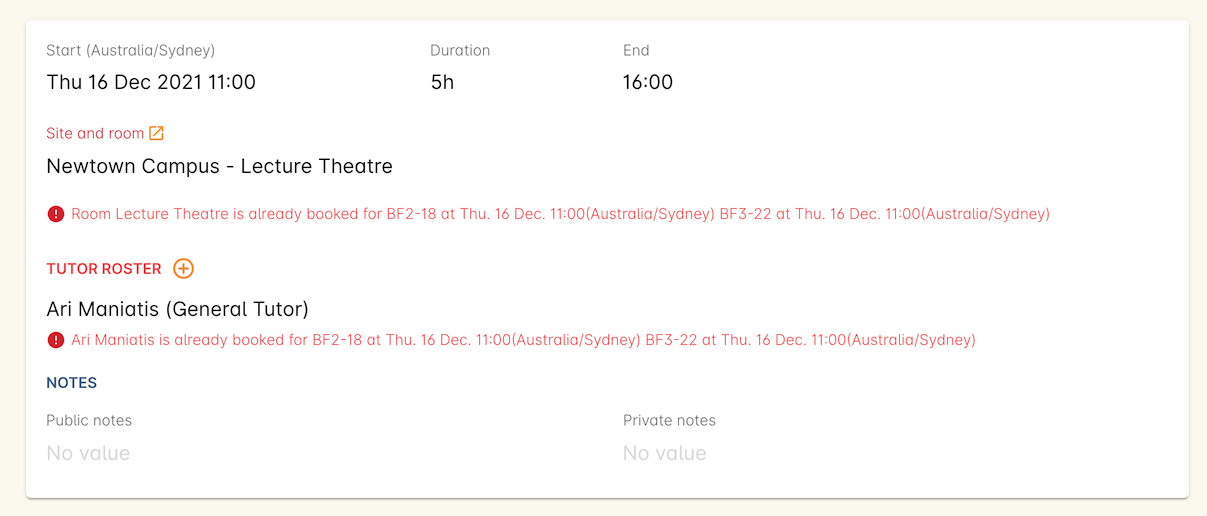
    Official handbook session example showing room and tutor clash warnings
    Older official handbook example. Interface may vary.
    Source and image details

    The official handbook page reported an update more than two years before review on 9 October 2026 (Australia/Melbourne). This is not a newly captured customer system or a promise of the exact current interface. Names and amounts shown belong to the documentation example.

    Read the handbook source (new tab)
  2. Stage 02

    Open enrolments

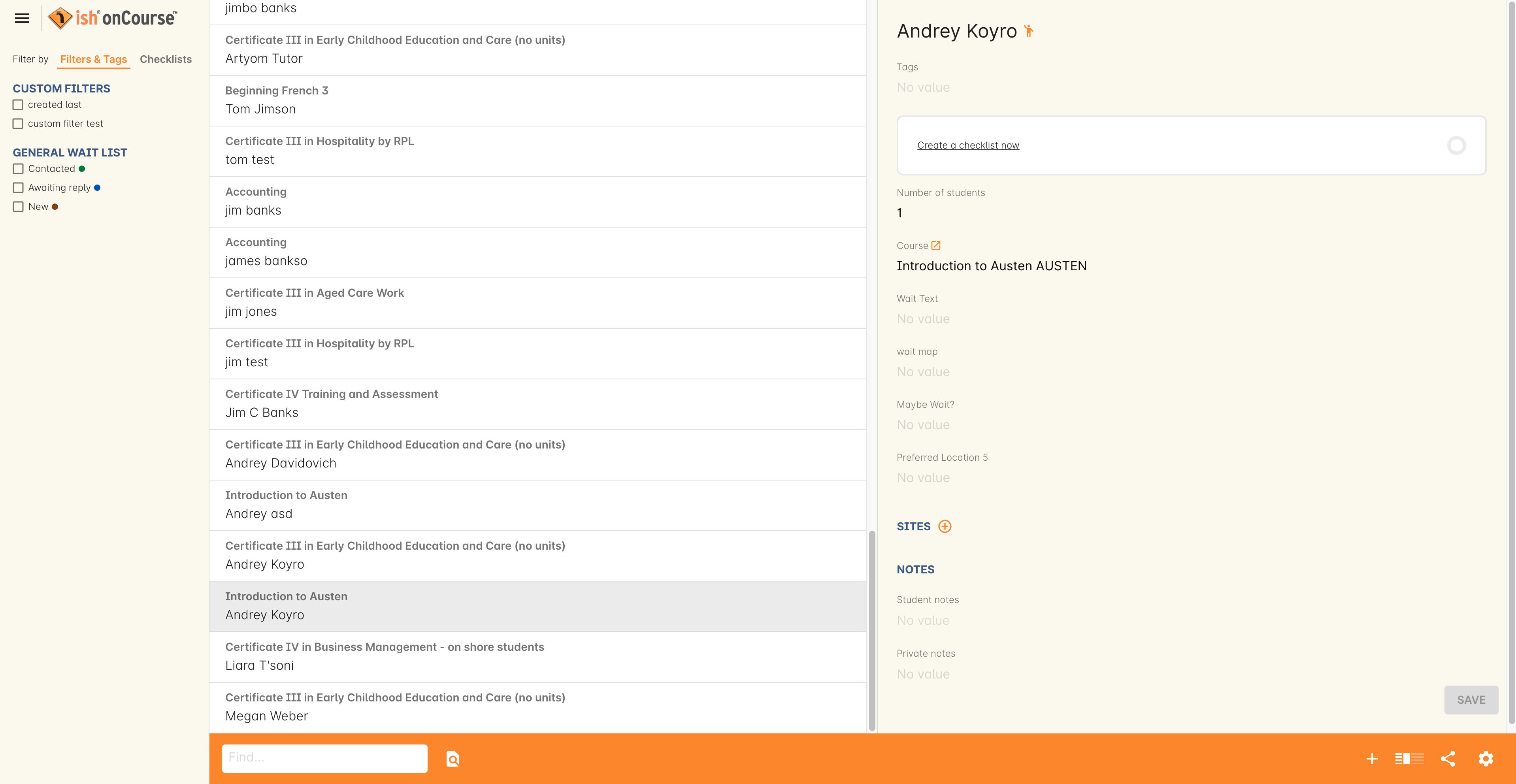
    Keep demand visible, move interested learners towards a suitable class and record agreed payment arrangements.

    Official handbook waiting-list example showing course, learner, location and preference fields
    Older official handbook example. Interface may vary.
    Source and image details

    The official handbook page reported an update more than two years before review on 9 October 2026 (Australia/Melbourne). This is not a newly captured customer system or a promise of the exact current interface. Names and amounts shown belong to the documentation example.

    Read the handbook source (new tab)
  3. Stage 03

    Organise delivery

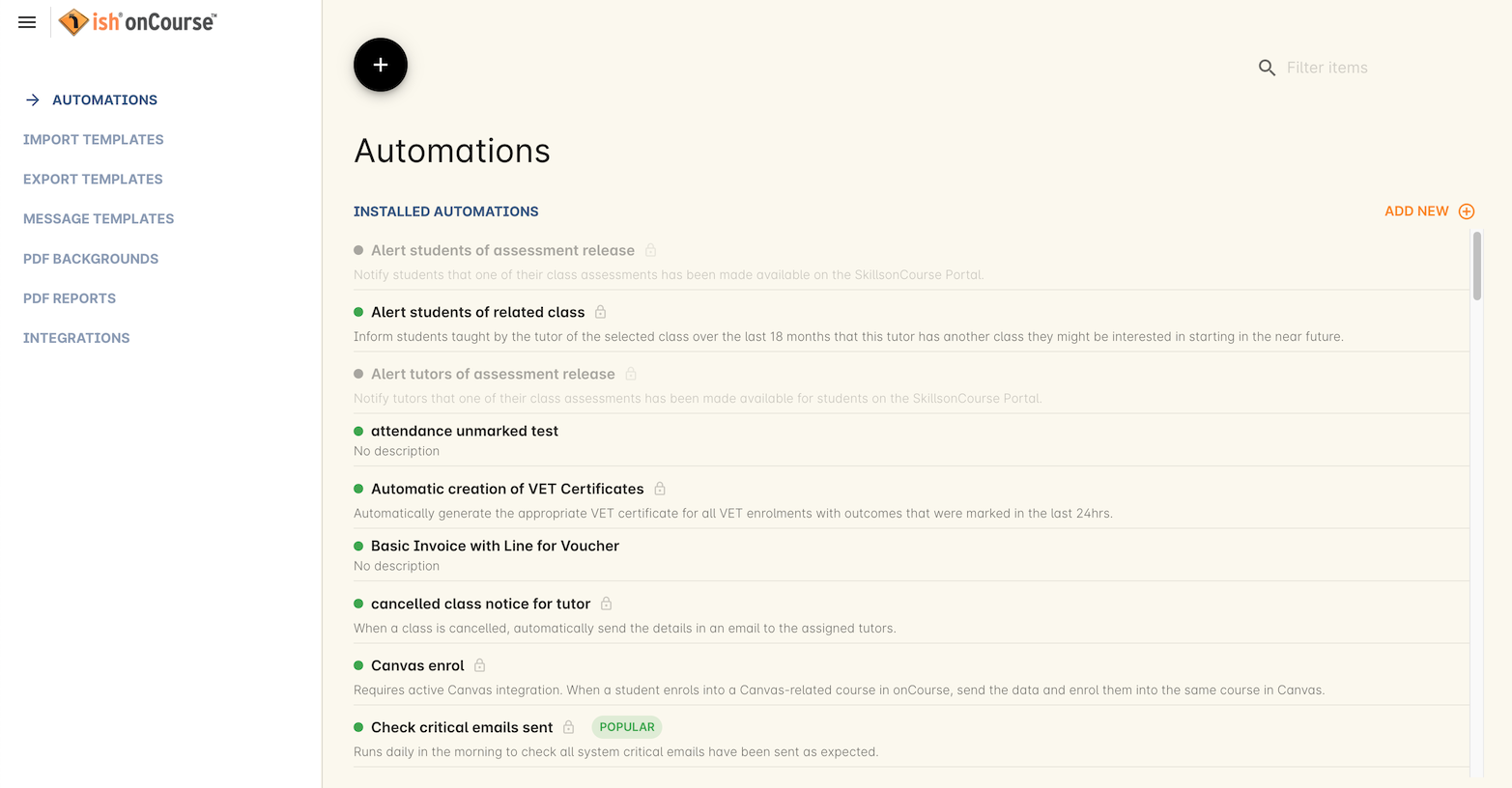
    Use configured automations and communications to support repeatable administration around each class.

    Official handbook automations view listing installed automations and their status
    Older official handbook example. Interface may vary.
    Source and image details

    The official handbook page reported an update more than two years before review on 9 October 2026 (Australia/Melbourne). This is not a newly captured customer system or a promise of the exact current interface. Names and amounts shown belong to the documentation example.

    Read the handbook source (new tab)
  4. Stage 04

    Understand activity

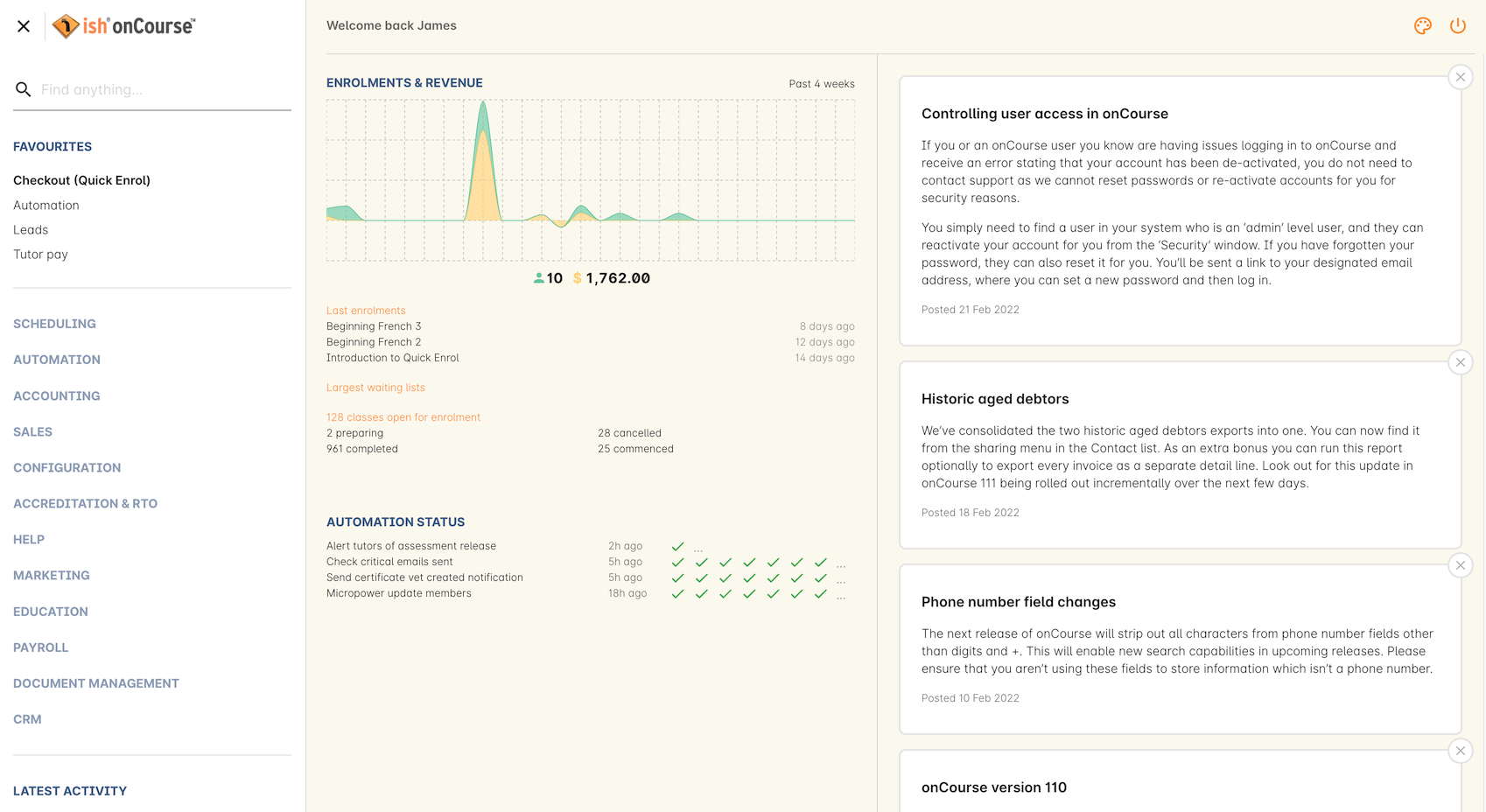
    Bring recent enrolment, revenue and course activity into view so your team can investigate what needs attention.

    Official handbook dashboard example with recent enrolment and revenue activity, navigation and automation status
    Older official handbook example. Interface may vary.
    Source and image details

    The official handbook page reported an update more than two years before review on 29 September 2026. This is not a newly captured customer system or a promise of the exact current interface. Names and amounts shown belong to the documentation example.

    Read the handbook source (new tab)

Getting started

Getting started

Start with your first courses.

Join an established platform with a setup shaped around the courses, information and decisions your team needs first.

  1. Choose your starting point

    We agree the first courses, the people who will use onCourse and the information you need to bring across. Together, we identify any connections and decisions needed to get started.

  2. Set up and check

    ISH configures what your team needs for the agreed first courses, then works with you to check the setup. Straightforward setups can move quickly when the scope, information and decisions are ready. Any migration or integrations in the agreed scope are prepared and tested with your team.

  3. Prepare your team and begin

    Your team gets practical guidance for everyday tasks. We complete the agreed checks together, help you begin using onCourse and continue supporting your team with daily work and agreed next steps.

ISH operates, maintains and improves the shared cloud platform, with customer data stored in Australia.

Your organisation retains its own settings and workflows. We agree migration, integration and responsibility boundaries where they are needed.

University of Sydney, Sydney Short Courses

Historical customer example

Practical questions

You might be wondering…

Where is customer data stored?

Customer data is stored in Australia, and ISH operates onCourse on AWS. Read security information.

What support is available?

You can explore the onCourse handbook or contact our team for help. See support options.

How does pricing work?

The pricing page sets out Course programs, Institutions and Multiple institutions. Your proposal confirms the charging basis, included work and any separately scoped professional services. See pricing and terms.

Can existing information be migrated?

Migration depends on the information, its condition and the agreed scope. We talk it through with you and agree the work and who does what before it begins. See how getting started works.

Can onCourse connect with our other systems?

Supported connectors and APIs provide a foundation. Together, we agree which system holds each record, how information moves and what happens when something needs attention. Explore integrations.

Tell us how your short-course program works.

We’ll talk through what you need and where onCourse could help.

Talk with our team